
Get your Shopify catalog into ChatGPT Ads.
LnqAI connects your Shopify Catalog to OpenAI so you can run product ads and grow your revenue.

The OpenAI product feed, handled for you.
Built for one job, done properly.
Connect your Shopify catalog once. Send OpenAI a clean, validated feed every day.

Read-only, always
We read your products. We can't change anything in your store.

See it before you send it
Run a sample, read the report, download the file. No surprises.

Proper format
Purpose-built for OpenAI's schema, not a generic exporter you configure.

Lives in your admin
Set it up and run it from Shopify. Nothing else to log into.
How LnqAI Works
From your product catalog to OpenAI's SFTP server, in three steps.
Step 1: Install and connect
Add LnqAI from the Shopify App Store. It asks for read-only access to your products, inventory, and store policies. Nothing else.
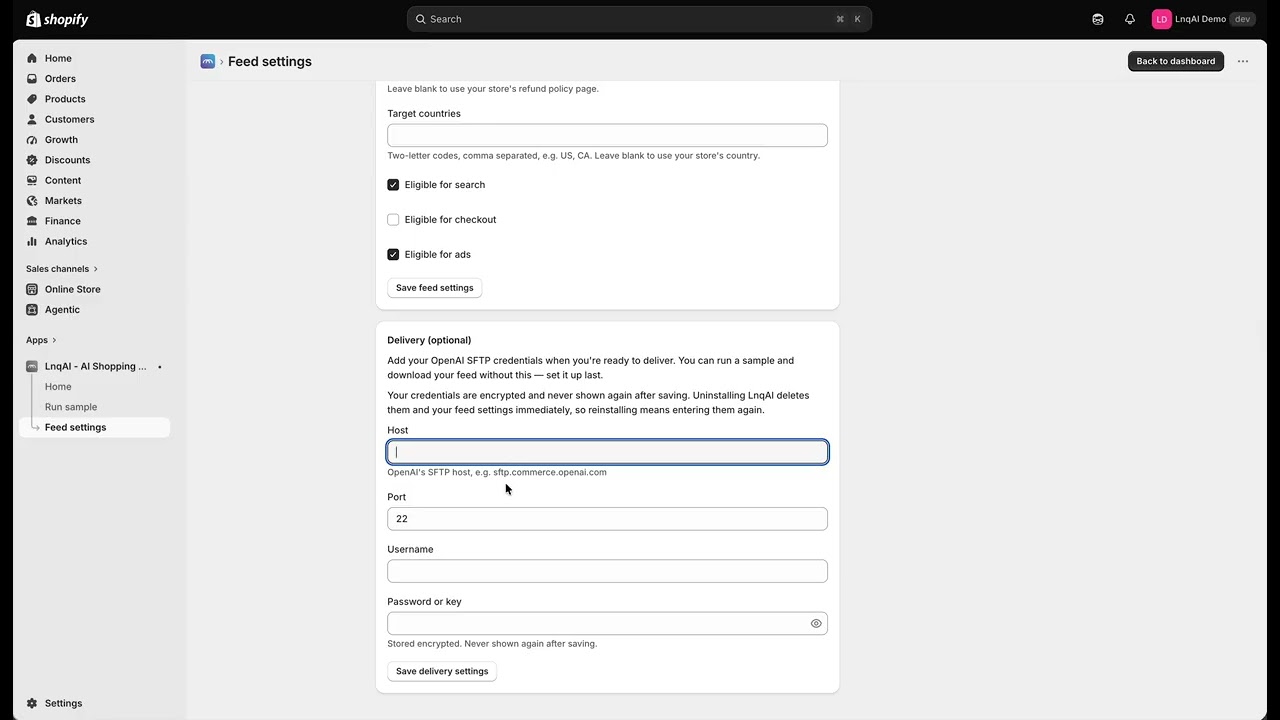
Step 2: Fill in your feed settings and run a sample
Tell us where your brand lives and point us at your return policy — that's the whole setup. Then run a 100-item sample. The completeness report shows exactly which required attributes are missing, product by product, so you can fix them before OpenAI ever sees the file.
Step 3: Push to OpenAI
Paste the SFTP credentials from your OpenAI Ads account. Push the feed. Your credentials are encrypted and never shown again.
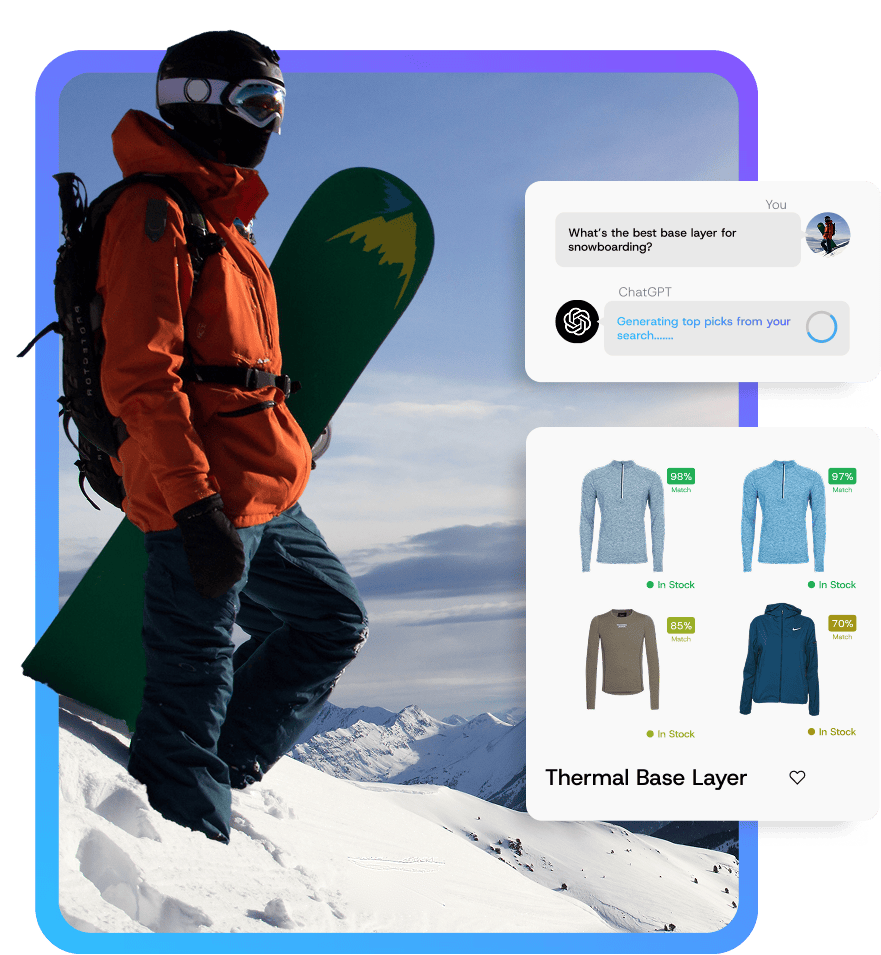
Step 1: A shopper asks ChatGPT
Someone describes what they're looking for — for example, “warm base layer for snowboarding.”
Step 2: OpenAI matches your catalog
OpenAI matches the searches against your product feed. Products with complete, accurate attributes get matched.
Step 3: Your product shows up
Your product ads appear in ChatGPT. Users can click and buy.
Built by eCommerce Marketers
We built LnqAI because we needed it for our clients, now we're sharing it with the world.
We run paid media for large, well-known ecommerce brands. When OpenAI opened up ChatGPT Ads, we found no simple way in — their own format, compressed, over SFTP, a full snapshot every day. So we built one: connect the store, see what's missing, send the feed. The completeness report exists because our first catalog had a few hundred products missing a required attribute — better we find that than OpenAI.
No Code Required
Here's what OpenAI actually needs for a product feed.
- Delivery
- SFTP push, daily, full snapshot
- Format
- Parquet (zstd), or gzipped JSONL / CSV / TSV
- Field Names
- Must match OpenAI's schema exactly
- Catalog Size
- No minimum or maximum — each variant is its own item
- File Size
- Shard above ~500,000 items or ~500MB
- Availability
- US, Australia, New Zealand, Canada
Every one of these is a way a feed fails. LnqAI handles all of them.
FAQs
If you have a question that you can't find here, please contact us directly for more information.
Contact UsWhat do I need before I install?
Two things: a Shopify store with products, and an OpenAI Ads account with a feed created in it. Creating that feed in OpenAI's Ads Manager is what generates the SFTP host, port, username, and password you paste into LnqAI — there's no other way to get those credentials.
How do I set it up?
Install LnqAI from the Shopify App Store and open it in your admin. Work through the setup wizard: confirm your default brand, tell us which metafield holds it if you use one, and set your return-policy URL and target countries. Then run a 100-item sample, read the completeness report, fix whatever it flags in your products, add your OpenAI SFTP credentials, and push the feed.
How long does setup take?
Most of it is a few minutes. The part that takes real time is fixing the missing product attributes the completeness report finds, and that depends on how tidy your catalog already is.
What does LnqAI do?
It takes the products in your Shopify store and turns them into the product feed OpenAI requires for ChatGPT Ads, then delivers that feed to OpenAI for you.
Why can't I just use my Google Shopping feed?
OpenAI's feed is not a Google-style feed. It uses OpenAI's own field names, has to be a full daily snapshot rather than an update, must be compressed, and is delivered over SFTP rather than a URL Google fetches. A Google feed will not be accepted.
What is the completeness report?
Before you send anything, LnqAI checks your products against the fields OpenAI requires and tells you which ones are missing or empty. Missing required fields are the most common reason a feed is rejected on OpenAI's side, so it's worth reading carefully.
Can I see the file before it goes to OpenAI?
Yes. Run a sample and download it. You get the actual file in the actual format.
Simple pricing, one job.
Both plans include a 7-day free trial and are billed through Shopify.
Need a Little Extra Help?
Questions?

Email us and a real person answers. Include your store URL and how we can help.
Need someone to do it for you?

We're a paid media agency. If you'd rather hand off the whole thing — catalog cleanup, feed setup, and running the ads — we do that too.